
Rose is a rose is a rose is a rose…

Redneck Websites

Comedian Jeff Foxworthy came to fame saying, “A lot of people don’t know if they’re a Redneck or not”, and came up with a test to help them figure it out. In this same vein, I’ve found that a lot of business owners don’t seem to know whether or not they need to update their website. So if you’re a business owner, here’s a little test to help you figure out if you need to update your website. “If your website has not been updated since the Bush Administration…” In all seriousness. If your site hasn’t been updated in a LONG while (or, literally, in some instances, NEVER been updated)… You might need to update your website. If your website looks like it was designed in 1996 (or, as a few cases I’ve seen, where the site actually WAS designed in the mid or late 90’s, and while the content has been updated, the design of the site hasn’t changed in over 20 years! “If your website is still displaying Logos, that the company they’re for has updated more than three times…” It is important to remember, your website is very literally an extension of your store. It honestly surprises me how many business owners who go to such lengths to make sure their store looks clean, sharp, modern, and up-to-date, are completely content to have a website that looks like it was created a decade ago, by their 15-year-old Nephew with a pirated copy of Microsoft FrontPage 98, and a copy of “HTML For Dummies” they checked out of the school library. Statistics show that over 80% of shoppers do online research before making a purchase. What that means is, your website is most likely what is going to be making that critical first impression of your business. What is your site saying about your company? “If your website loads slower than your kid doing household chores…“ Statistics show that a visitor to a website will decide within the first 8 – 11 seconds, whether they will stay, and further explore the site, or leave and go elsewhere. So if your site is still loading after 10 seconds, a lot of your visitors are probably already gone. “If it’s harder to find something on your website than finding an Amish family in Las Vegas…” If your visitor isn’t at least well on their way to what they’re looking for within (generously) the first 12-15 seconds after arriving at your site, chances are strong that they will leave, and move on to another site to find what they’re looking for. I’ve had some fun here, but the points I make are very serious. Your website is as much a critical business tool as your sign out front (Which brings to mind the point of Logos, but I’ll save that for another article). I’ll close with this thought. Even in 2024, there are business owners who don’t believe that their website “speaks” for their company. Yet stop and think how many times you’ve been somewhere and heard someone telling the cashier (or the manager), “But your website says…” Your website is the voice of your company. What is your site saying about you?
My thoughts on LinkedIn ProFinder and Thumbtack

As a Creative Professional, like most of you, I am always looking for ways to bring in business, make contact with prospective clients, and such. So when a Contractor friend of mine told me about Thumbtack and how he had gotten a number of jobs through them, I figured I would give them a try myself. After having used them for several months, I felt it was appropriate to share my experience. More recently, LinkedIn has launched a similar service, called ProFinder, so I will discuss my experience with both services. I apologize from the start. I know this will not be a “brief” article. Let me qualify this by saying, this is MY experience. As the expression goes, “Your mileage may vary.” Since I first dealt with them, I’ll start by talking about Thumbtack. I suppose I should start off by answering the question, “What IS Thumbtack?” According to Wikipedia’s answer when I googled that question, “Thumbtack is an online service that matches customers with local professionals. Currently, Thumbtack lists 1,100 types of services in categories such as home, wellness, events, and lessons.” How does it work? Well, let’s say your prospective client needs… to use myself as an example, we’ll say they need a Website (Though Thumbtack claims to match providers for 1,100+ services). So they go to Google and enter, “Web Designer [your town]”. Chances are good that Thumbtack is going to come up somewhere on that first page. And with a link that says, “The best Web Design Companies in [your town] (with Free Estimates)”, it is pretty likely that a prospective client is going to at least take a look to see what they’re about. Once on Thumbtack’s site, the client is asked for their location (Zip Code). Next, they’re told how many professionals of that type are in their area, and they are asked what service(s) are needed. In our example, it asks what type of website you have or would like: Personal, Blog, Social Network/Community, E-Commerce or Business/Non-Profit. (I’ll finish going through the whole process, and then comment on it.) They select their category and are asked if they have a preferred platform (Squarespace, WordPress, Wix, Weebly, Shopify, or “What the web designer recommends” are the listed options). The next question asks if they will be providing “some”, “most”, or “all” of the content for the site, or if they would like the designer to create the content for you. They are then asked about working arrangements: “Do you want the designer to come to you, will you go to them, or is a phone or online meeting acceptable?” Next, it gives them a generic, “Anything else?” block where the client can add any notes/comments/requests or anything not otherwise mentioned. Their location (Zip Code) is confirmed, they enter their email address, and that’s it… From there, their system takes the request, looks in their database, and sends that request to every professional registered with their service, who have listed themselves as providing the desired service and has stated they serve the client’s location. NOW, things start to get “interesting”. Now, “the race begins!” Because while the request goes out to multiple professionals, only the FIRST FIVE professionals to respond are able to submit their response to the client. Yes!, That means that you may very well have taken the time out of your day to read over the request (and we’ll talk more about that in a moment), process the information however you happen to do so, prepare a response, and attempt to submit it, only to be told, “Sorry! Five others have already responded to this person.” Which means that depending on where you are, and what sort of service they are requesting, you stand a strong chance of doing nothing more than wasting your time. Add to this, the fact that from the moment they send you that request, you have 24 hours to respond. Which means, yes, you may very well go through that whole process, submit your response, and be told you can’t respond because time ran out! (I’ve had both of those happen to me, more than once.) OK, Let’s talk about the customer request. In case you didn’t pick up on it as I went through the process above, probably 98 times out of 100, the information you receive will be “cryptic” at best. Here’s an example of a typical Web Design request that I receive from Thumbtack. Let’s review. Right from the top, we see just how cryptic and devoid of information this is. Work needed? “Changes to my existing website.” OK. This is, in all but the most basic senses, completely useless information. This can mean anything from, “I want you to go in and replace the old picture of me on the ‘About’ page with a new one that I will provide.” to, “I’d like to completely change the visuals of my site.” About the only thing we actually can gather is that at least based on what the client says, they aren’t needing any new pages created. They tell us it is an E-Commerce Site (which we probably could have gathered from the fact that it is on the Shopify platform.) Customer will provide all content. This can be a blessing or a curse. Most of you who have done this sort of work know this can mean anything from, “I have Camera-Ready Text and Artwork” (Yeah, I know, the term, “Camera-Ready” shows how long I’ve been doing this stuff.) to, “I’ve got a couple lines of concept text scratched on a napkin from lunch, and a few pictures I took from a competitor’s website that I expect you to turn into a beautiful web page.” Let’s go on… Additional Services: “To be determined with professional”. Translation: I’ve got a laundry list of additional stuff I want to be done, and I’ll tell you about it once you’ve been hired.” OR “I have NO IDEA what I want or need, and you’re going
Online Networking Etiquette
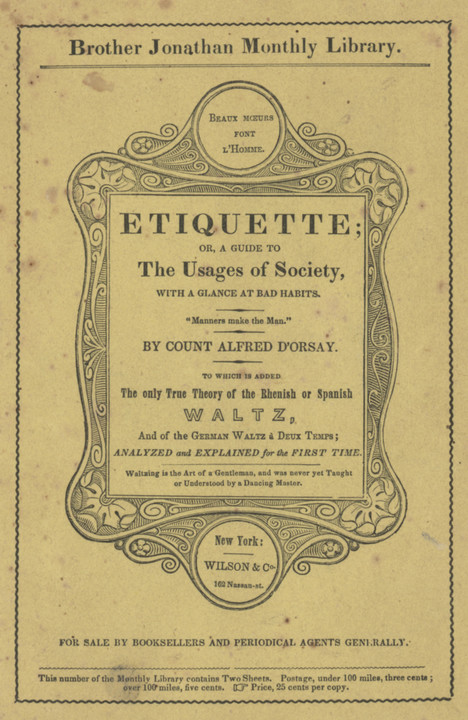
In the business world, there is an etiquette. In every industry out there, there is an etiquette. On Social Media, there is an etiquette. “Etiquette” is defined as, “the customary code of polite behavior in society or among members of a particular profession or group.” Poor etiquette inevitably yields negative results. The primary element to keep in mind is what is commonly known as, “The Golden Rule” which says, “Do unto others as you would have them do unto you.” It is critical to understand, this does NOT mean, “Do to others what they have done to you.” it means, in short, treat others the way that you would like for them to treat you. LinkedIn is a well-established Business Social Media site, which has been in operation since 2003, and boasts in excess of a 500 million members in over 200 countries and territories. LinkedIn was acquired by Microsoft in June of 2016. A site such as this has a number of both written and unwritten “rules”. It is important to remember that while lack of etiquette in a general social media site, like FaceBook or Twitter may simply be irritating, and “only” get you unfriended/ignored/mocked, lack of etiquette in the business environment may lose you respect, it may lose you customers, or if it gets bad enough, it could cost you your job. Let’s take a look at some of the more blatant blunders in professional etiquette that we see on LinkedIn. Connecting with strangers – LinkedIn has a rule against connecting with people that you don’t know. And while many of us tend to disregard that rule in the name of networking, that does not mean all bets are off. Connecting with someone on LinkedIn is much the same as meeting them at a party/networking event/business mixer. While it is fine to walk up to someone you don’t know, and introduce yourself, just like at that party/mixer, you wouldn’t (or at least shouldn’t) just walk up to someone who doesn’t know you from Adam, and start pitching them on your product/service. Doing so at the party, at best, they’re probably going to walk away from you. “So are you saying I shouldn’t discuss business on LinkedIn?” No, that’s not what I’m saying. What I’m saying is, use some tact, and common courtesy. “Hello, Mr. Smith, my name is _______, I am (state what company you’re with or what line of work you’re in, or something to give them some idea who you are and what you’re about.) I was wondering if I could talk to you about (Product/service/investment/whatever)?” and give them the chance to accept your offer. Be BRIEF/General (“…I was wondering if I could talk to you about Outsourcing some of your work?” or “…I was wondering if I could discuss a potential investment opportunity?” or whatever. This does NOT mean hit them with your whole pitch! And, like anything in the world (Business or otherwise) don’t be surprised if they say, “No.” And be professional and respectful if they do. They may give you some degree of explanation (“No, thank you, I already have a financial planner.” or, “No, I’m sorry, we don’t outsource work.” or they may just say, “No, thank you.” At this point you can smile, and say, “Thank you for your time”, “Thank you, nice to meet you” or even, “Thank you, here’s my card, if we might somehow be of service in the future.” and then go. NOBODY likes to be pushed/pressured. The same should be the case Online. I can’t tell you how many times I have had someone ask me to connect, and almost immediately send me a message pushing their product or service. DO NOT (and again I say, DO NOT) send a connection ANYTHING without first asking their permission/approval. Do not send e-mail other than over LinkedIn, I don’t care if they DO have their e-mail address listed in their profile. One of the fastest ways to lose a prospective client is by spamming them. In this same vein, I STRONGLY advise against joining any of the various services that your connections on LinkedIn may send you. The invitation usually says something about, “I’d like to be able to refer customers to you…” I made the mistake of joining one of these. You click the link, go through their registration process, and it asks you to somehow connect your LinkedIn account, and when you do, it sends an invitation to all of your contacts. I made this mistake once, and never again. If you want to refer customers to me, Great! Get in touch with me over LinkedIn, and we can go from there. Likewise, if I happen to know of someone I think would be a good match for your services, I’ll contact you and share the information. The only thing SPAM accomplishes is irritating people. “When in Rome…” – When you are on LinkedIn, participate. There are a lot of great groups available on a wide variety of subjects. Great places to ask questions, share information, etc. However, please make sure that you take a moment to read whatever “Group Rules” the managers have created, and abide by them. As a member of a number of groups, as well as manager of several, I can tell you, SPAM is one of the biggest irritants there is. Most groups will define SPAM as anything that does not relate to that group (In other words, if you’re in the Photoshop group, a post about how to do something in Illustrator would be considered SPAM.), anything repetitious (there is NO need to post your message, regardless of what it is, more than ONCE. People start at the top of the discussions and scroll down. If they see multiple copies of your message, most likely your messages will be flagged, and deleted. And you may be “moderated” (which means that anything that you attempt to post must be approved by a group manager before it is visible
Knowledge = Power… but does it always equal a better job?

Here’s an opinion poll of sorts. I’d like to hear yours. We’ve all heard the old sayings like, “Never stop learning”, “All knowledge is good knowledge”, “Knowledge is power!” and the like. However, especially in today’s economy, we have to question if that is 100% true. Now I realize, this topic could go in 150 different directions, and probably have twice as many potential responses. I’m going to try to stay relatively specific here however. We all know that folks with a Bachelor’s degree typically make more than those with an Associate degree, who typically make more than those with a High School diploma. And I do believe that at one time, someone with a Masters degree or a Doctorate would unquestionably make more than someone with a Bachelors degree. But in today’s economy, I have to question if this is still so. With things as they are today, I have to say honestly, that I know far more people with Masters degrees, who are either working jobs completely out of their field, and/or have been passed over for jobs in their field with lesser requirements, being told they were “Overqualified”, and/or simply stating, “If I knew then what i know now, I would never have bothered going on for my Masters degree.” In fact, it seems that unless your intent is to TEACH in whatever field, that a Masters degree is of little to no benefit. I know myself, in Graphic Design/Visual Communications, I have explored the possibility of continuing on to earn an MFA (Master of Fine Arts) degree. However, as I’ve looked over job postings in the field, the number of job postings that even MENTION a Masters degree… equals exactly ZERO. I’m sure there ARE jobs out there that require a graduate degree, but in the three years I’ve spent looking at job postings, I’ve yet to see one. So, here’s the discussion part of this article. If you have a Masters or Doctorate degree, a) Did you get it strictly to meet the requirements of a particular job? a1)Was that job some sort of teaching position? b) Have you found the time and expense to earn the higher degree was worth the time/money? Share your comments below.